 ECG Lab
Your Watch ECG, finally explained.
Apple stops at “Sinus Rhythm”. ECG Lab reads the same 30-second recording and finds every premature beat, measures QTc and HRV, tracks your baseline over time — and tells you what it means in plain English.
Free to download · Premium with a 3-day free trial · iPhone + Apple Watch Series 4 or later
- Analysis runs on your iPhone
- No account, no ads, no data selling
- Works with every ECG already in Apple Health
- Informational — not a diagnosis
Everything Apple’s ECG app leaves out.
Your Watch already captured a medical-grade single-lead ECG. Apple only tells you the rhythm class. ECG Lab shows you the rest.
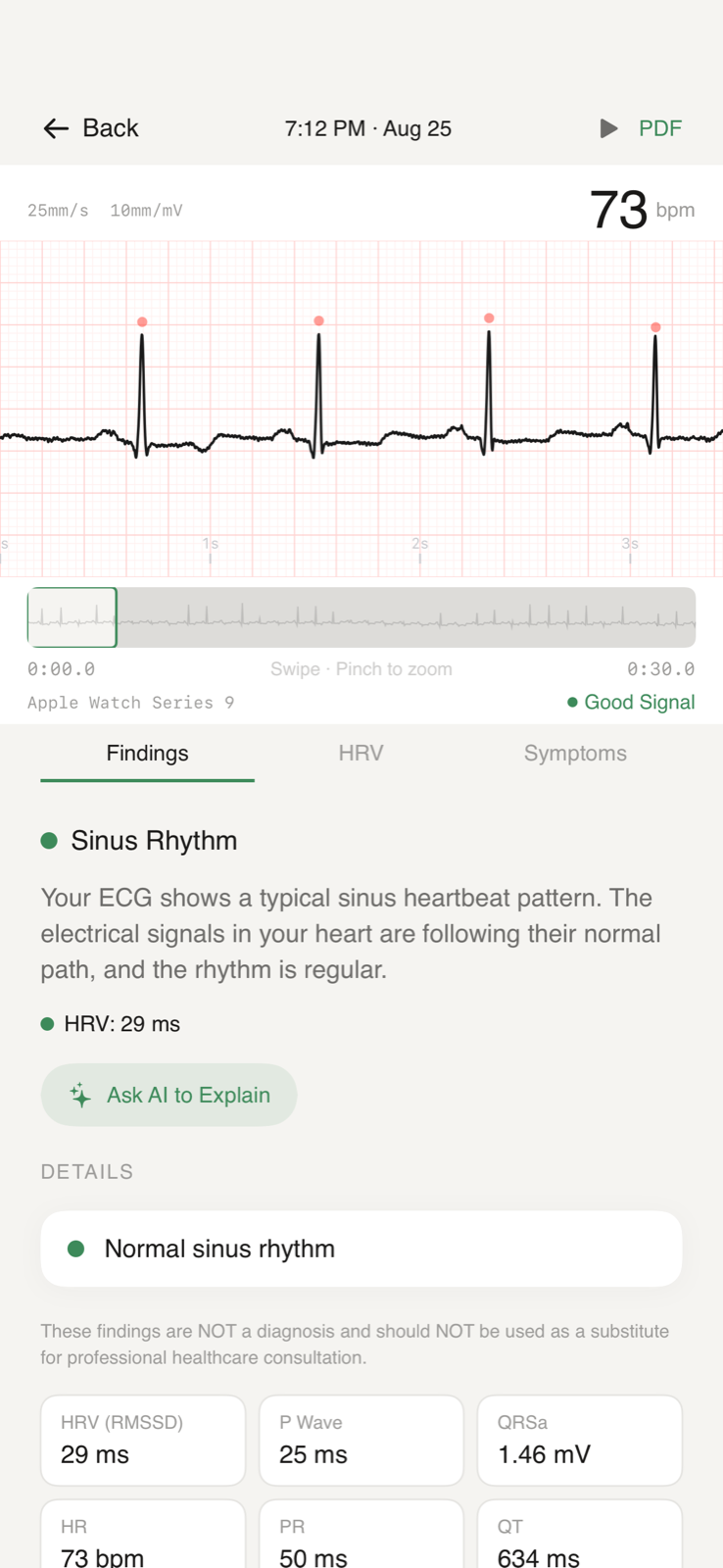
See the strip, the beats, and what they mean.
A proper 25 mm/s paper-style strip with every detected beat marked, signal quality scoring, and a plain-language reading of the rhythm — not just a one-word label.
- Sinus rhythm, tachycardia, bradycardia and AFib findings, explained
- Pinch-to-zoom strip with beat markers and interval callouts
- Signal quality check so you know when to re-record
Every premature beat, counted and located.
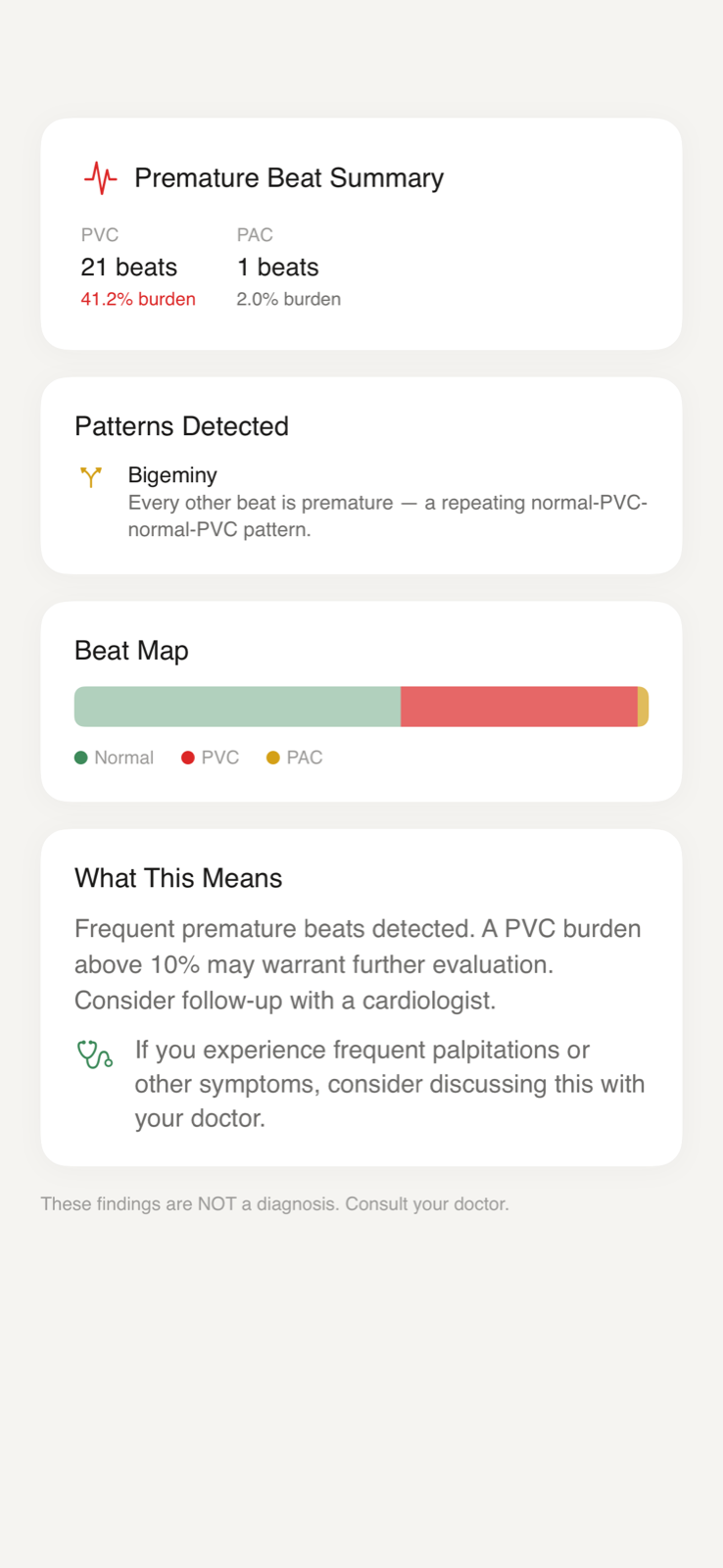
Skipped beats, flutters, thumps — the things that send people to the App Store at 2 a.m. ECG Lab detects premature ventricular and atrial contractions (PVCs and PACs), counts them and marks exactly where they happened on the strip.
- PVC / PAC detection with per-beat markers
- Burden as a percentage of beats, and patterns like bigeminy
- Calm, honest wording — what’s common, what’s worth a conversation
QTc, HRV and your personal baseline over time.
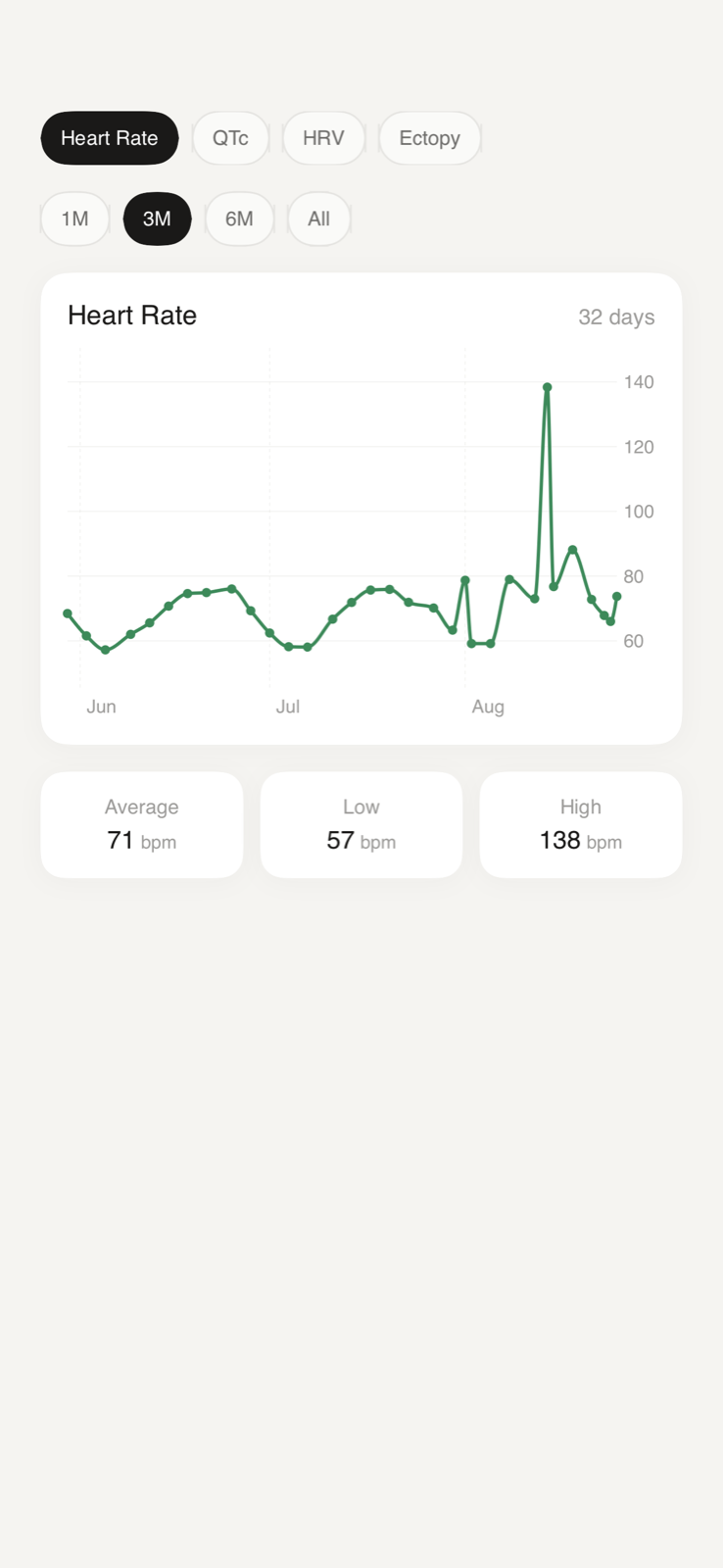
One recording is a snapshot. Dozens are a record. ECG Lab measures QT / QTc (Fridericia by default) and HRV (rMSSD) on every recording and charts them, so you and your doctor can see what’s normal for you — and what changed.
- Heart rate, QTc and HRV trends across weeks and months
- Your baseline range, with new readings compared against it
- Log symptoms alongside recordings to spot correlations
Plain-English explanations, when you want them.
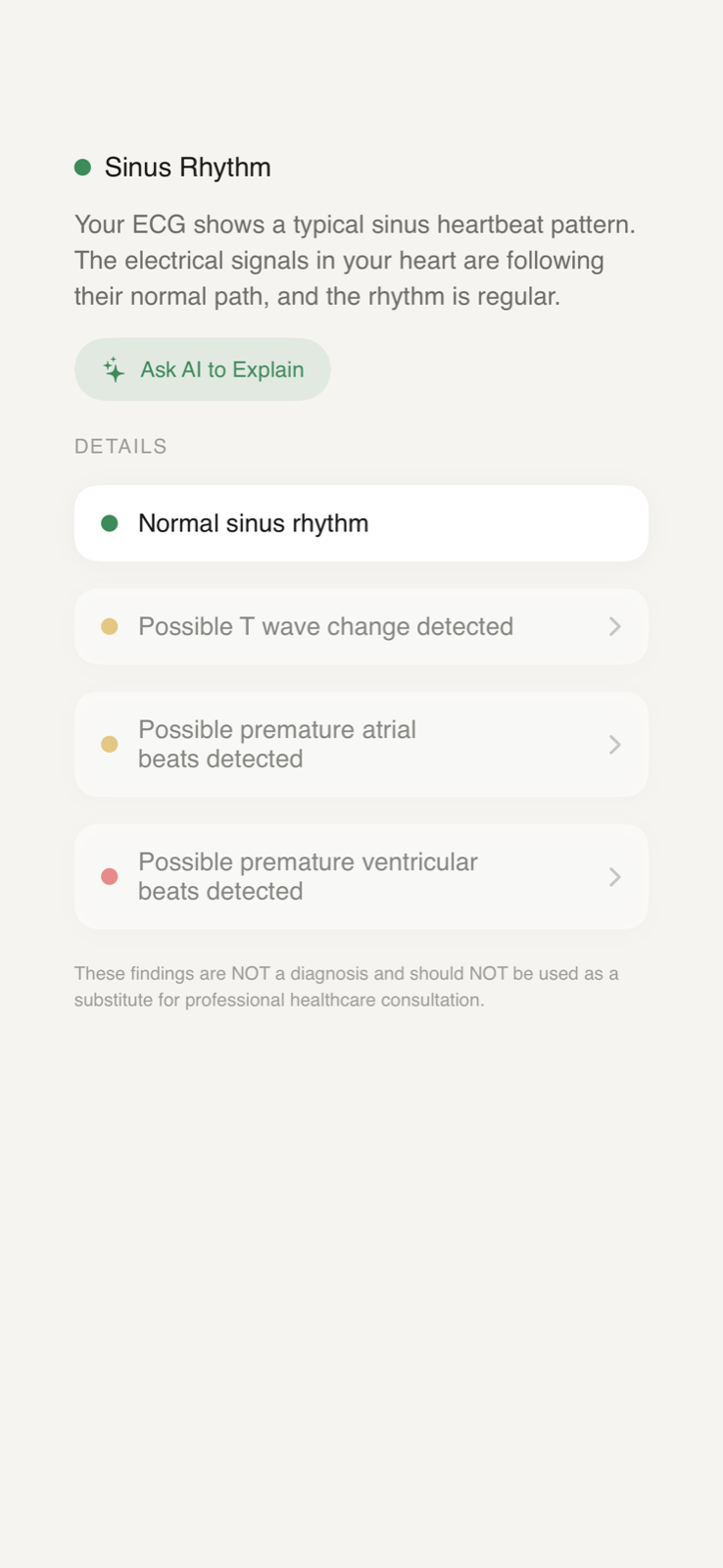
Tap “Ask AI to Explain” and get a calm, readable explanation of the measurements on screen — what the numbers mean, what’s typical, and what questions to bring to a clinician. Only the derived measurements are sent, never your name or raw health record.
- Explanations of each finding and measurement
- Built-in medical reference content for PVCs, PACs, AFib, long QT and more
- Triage that tells you plainly when a reading should not wait
Doctor-ready PDF reports in one tap.
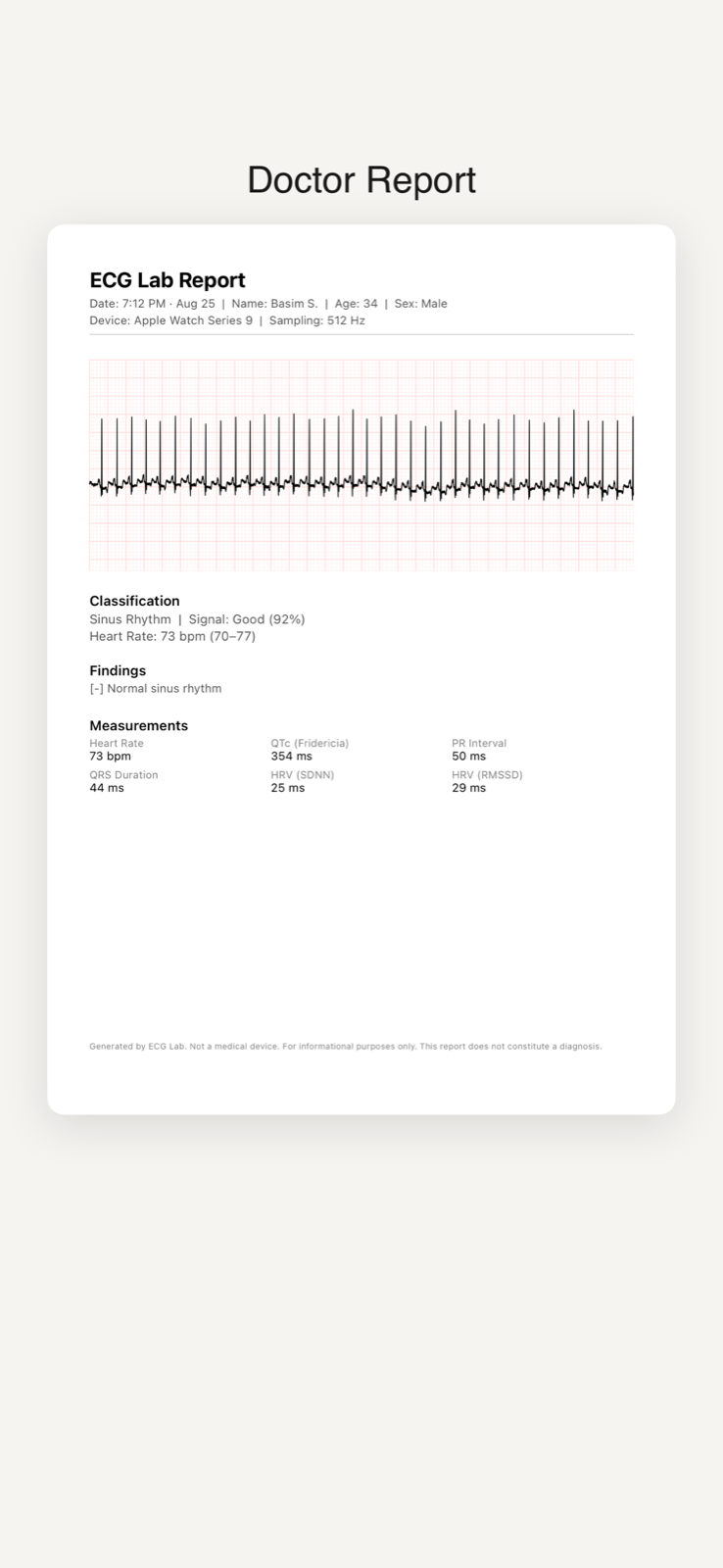
Export any recording — or your trend history — as a clean PDF with the full strip at standard scale, measurements and findings. Something a cardiologist can actually read, in the format they expect.
- Standard 25 mm/s, 10 mm/mV strip layout
- Measurements table, findings and symptom notes
- Share via Messages, Mail, AirDrop or save to Files
Three steps. No new hardware.
Record on your Apple Watch
Use the built-in ECG app on Apple Watch Series 4 or later, exactly as you already do. Every recording is saved to Apple Health.
Open ECG Lab
Grant read access to your ECGs in Apple Health once. ECG Lab imports your recordings — including every one you’ve taken in the past — and analyzes them on your iPhone.
Understand, track, share
See findings and measurements for each recording, watch your trends build over time, and export a PDF whenever you need to show someone.
It’s your heart. The data stays yours.
Health data deserves a different standard. Here is exactly what ECG Lab does and doesn’t do.
On-device analysis
Beat detection, rhythm classification, QTc and HRV are all computed on your iPhone and stored in the app’s local database. Your ECG waveforms never leave the device for analysis.
No account, no tracking
There’s nothing to sign up for. No advertising SDKs, no analytics on your health data, and we never sell or share it. Apple’s HealthKit rules forbid it, and so do we.
AI explanations, minimal data
Only when you tap “Ask AI to Explain”, the derived numbers (heart rate, intervals, rhythm class) are sent to our AI service to write the explanation — never your name, your Apple ID or the raw recording. Read the full policy →
Free to read. Premium to go deep.
Safety-relevant information is never behind the paywall. Premium unlocks the longitudinal record and the tools around it.
Free
Forever, no trial required
- Import and list every Apple Watch ECG
- Dashboard with latest reading and rhythm class
- Critical alerts — always shown, never paywalled
- Medical reference library
Premium
Monthly, annual (best value) or one-time lifetime
- Full recording detail: strip, beat markers, measurements
- PVC / PAC detection and burden
- QTc, HRV and heart-rate trends with your baseline
- AI explanations and symptom correlation
- Doctor-ready PDF reports
Prices are shown in the app in your local currency. Subscriptions are billed through Apple and can be cancelled any time in your Apple ID settings. The free trial applies to monthly and annual plans.
Questions people ask before downloading.
Is ECG Lab a medical device? Can it diagnose me?
No. ECG Lab is an informational tool for understanding recordings your Apple Watch already made. It does not diagnose, treat or prevent any condition, and it is not a substitute for a clinician or a 12-lead ECG. If you have chest pain, fainting, severe shortness of breath or think you are having an emergency, call your local emergency number.
Which devices does it work with?
Any Apple Watch that can take an ECG (Series 4 and later, Ultra) paired with an iPhone. ECG Lab reads recordings from Apple Health, so it also works with every ECG you have taken in the past.
How accurate is it?
Beat detection and rhythm classification are validated against public PhysioNet reference databases and against real Apple Watch recordings, and we publish our targets and results rather than asking you to take our word for it. A single-lead 30-second recording still has limits — a poor-quality strip is flagged as such, and PVC / PAC detection is only shown when the signal is good enough to trust.
Where is my data stored?
On your iPhone, in the app’s local database. Analysis is done on the device. The only data that ever leaves it is the derived measurements sent to the AI service when you explicitly ask for an explanation, and anonymous purchase information handled by Apple and our subscription provider. See the Privacy Policy.
What does Premium cost, and how do I cancel?
Premium is offered as a monthly or annual subscription (with a 3-day free trial) or a one-time lifetime purchase; the exact price is shown in the app in your local currency. Subscriptions are managed by Apple: open Settings → your name → Subscriptions on your iPhone to cancel, and you will keep access until the end of the paid period.
How is this different from the ECG app on my Watch?
Apple’s app classifies the rhythm (Sinus Rhythm, AFib, Inconclusive…) and shows a heart rate. ECG Lab analyzes the same recording in far more depth — individual beats and premature beats, QT / QTc, HRV, signal quality — tracks all of it over time, explains it in plain language, and exports it as a proper report.
Stop guessing what “Sinus Rhythm” means.
Download ECG Lab and see everything your Apple Watch already recorded.
Download on the App Store